Reading a PDF is kind of miserable — text too small so you zoom in, then you’re scrolling side to side. On a phone it’s even worse. EPUB is different. Text adapts to your screen, you pick the font size, page turns feel natural.
If you’ve got a PDF you want to read on a Kindle, Apple Books, or any ebook reader, converting to EPUB makes the experience way better.
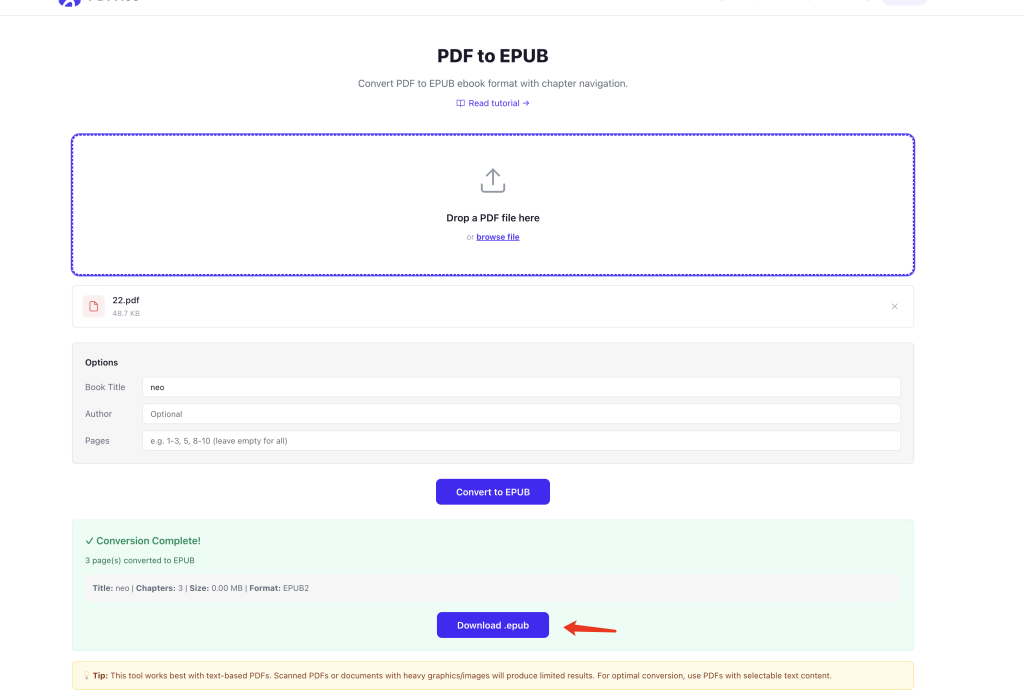
Use PDFNeo PDF to EPUB. A few steps and you’re done:
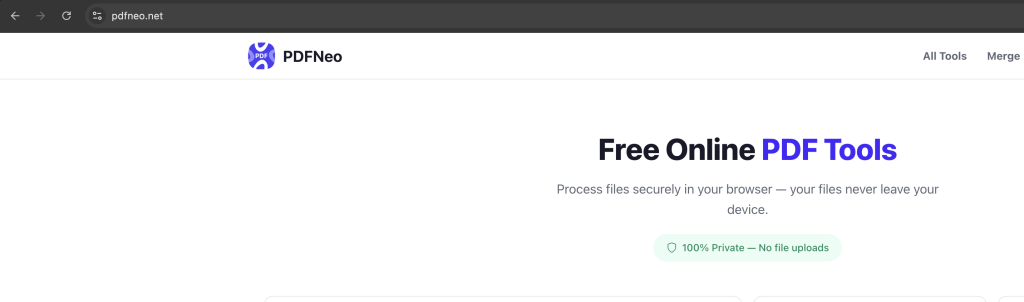
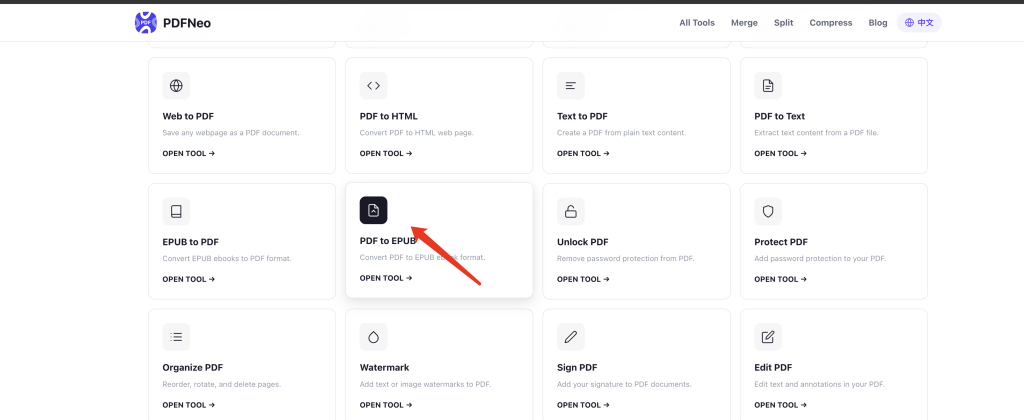
1. Open the page
Go to PDFNeo PDF to EPUB. Upload area right there.
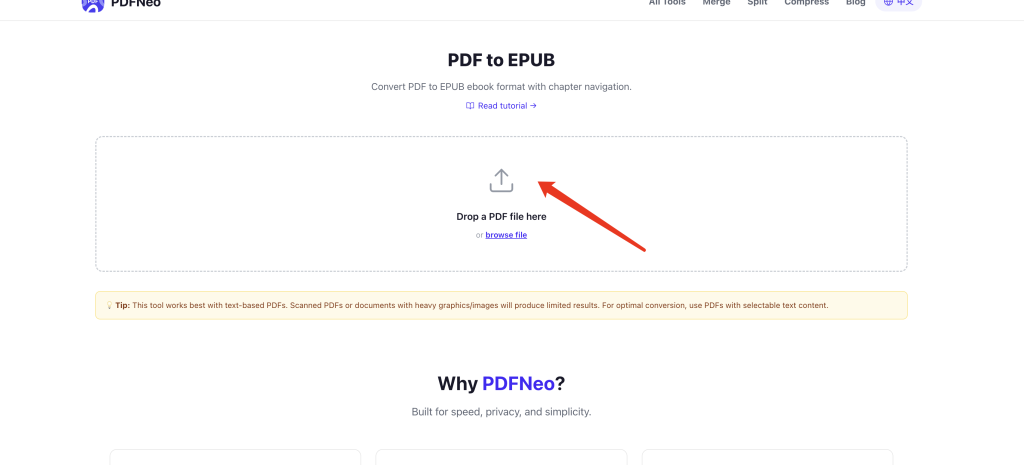
2. Upload your PDF
Drag in a PDF file, or click to browse.
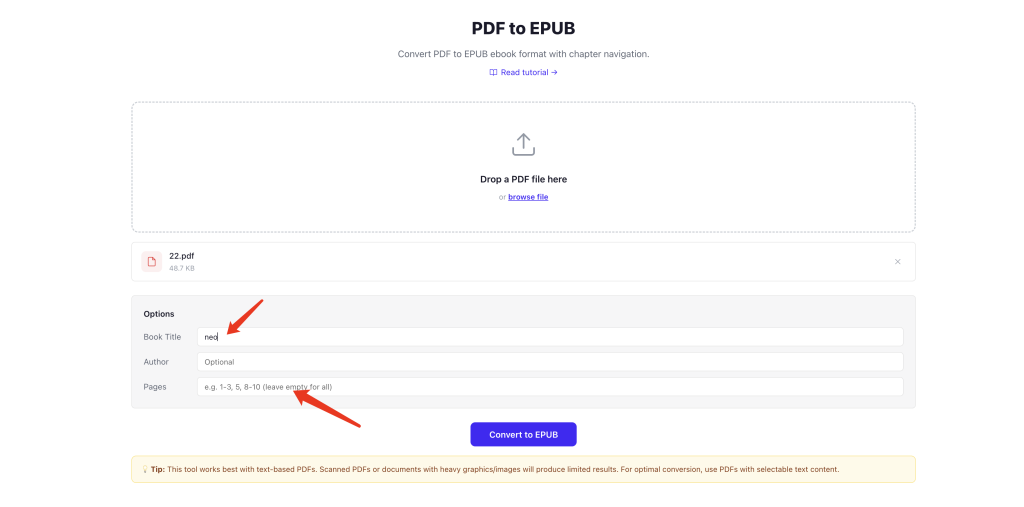
3. Fill in details (optional)
- Book Title — leave empty to use the filename
- Author — optional, fill in if you want
- Pages — don’t need the whole thing? Specify a range like “1-3, 5, 8-10”
4. Convert and download
Click “Convert to EPUB” and wait a bit. Download the .epub file when it’s done, import it into your reader, and start reading.
How’s the reading experience?
Text-based PDFs convert well — text gets reflowed, you can adjust font sizes and styles, and the reading experience is a huge upgrade over PDF. Chapter navigation is also generated automatically.
But a few things to keep in mind:
Scanned PDFs won’t work well — same story as before. Scanned content is images, not text. Converting to EPUB just gives you images in an EPUB wrapper. No reflowing, no font size changes, same experience as reading a PDF. You’d need OCR first.
Layout will change — PDF’s fixed layout becomes EPUB’s reflowable layout. Multi-column articles might collapse into single columns. Headers and footers disappear. Image positions may shift.
Tables and code blocks — complex tables don’t render great in EPUB. Code blocks might lose indentation.
Best for plain text content — novels, papers, report body text. Complex mixed layouts, not so much.
PDF vs EPUB for reading
PDF is fixed layout — a page is a page. You zoom in and out but text doesn’t reflow. On a phone, either the text is too small to read, or you zoom in and scroll sideways forever.
EPUB is reflowable — text wraps to fit the screen width. Bump up the font size and everything reflows automatically. No sideways scrolling ever. Highlighting, note-taking, and dictionary lookups all work better in EPUB readers than in PDF viewers.
If you’re actually going to sit down and read something rather than just glance at it, EPUB is way more comfortable.
Privacy
Everything runs locally in your browser. Your PDF never gets uploaded to any server. Close the tab and it’s gone.
Open PDFNeo PDF to EPUB, upload your PDF, fill in details, convert, download. No software, no signup, no uploads.
More tools
- EPUB to PDF — The other way around
- PDF to Word — Convert PDF to editable Word
- PDF to Text — Just the text, no formatting
- PDF to HTML — Turn PDF into a web page
- PDF to JPG — Export each page as an image