Can’t copy text from a PDF? Some PDFs garble everything when you select, some are scanned so there’s nothing to select, and some are just images. If you want the actual text, you need to extract it first.
Citing a paper, editing a contract, reformatting a report — first step is getting the text out.
Use PDFNeo PDF to Text. A few steps and you’re done:
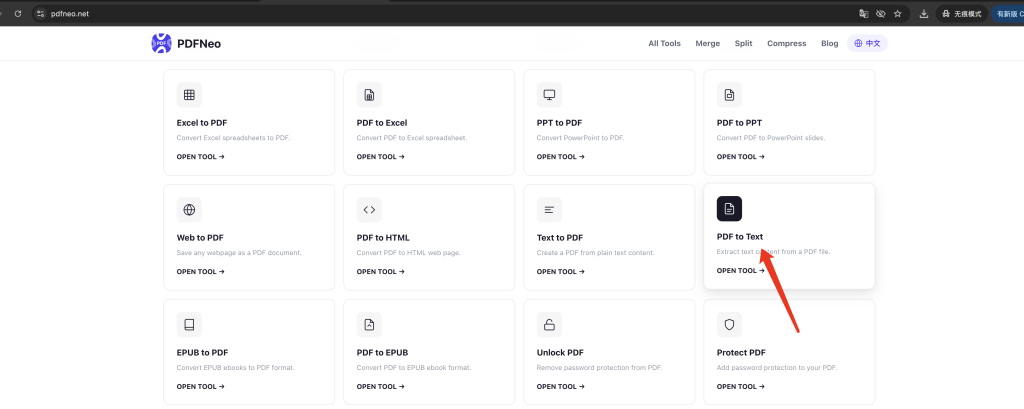
1. Open the page
Go to PDFNeo PDF to Text. Upload area right there.
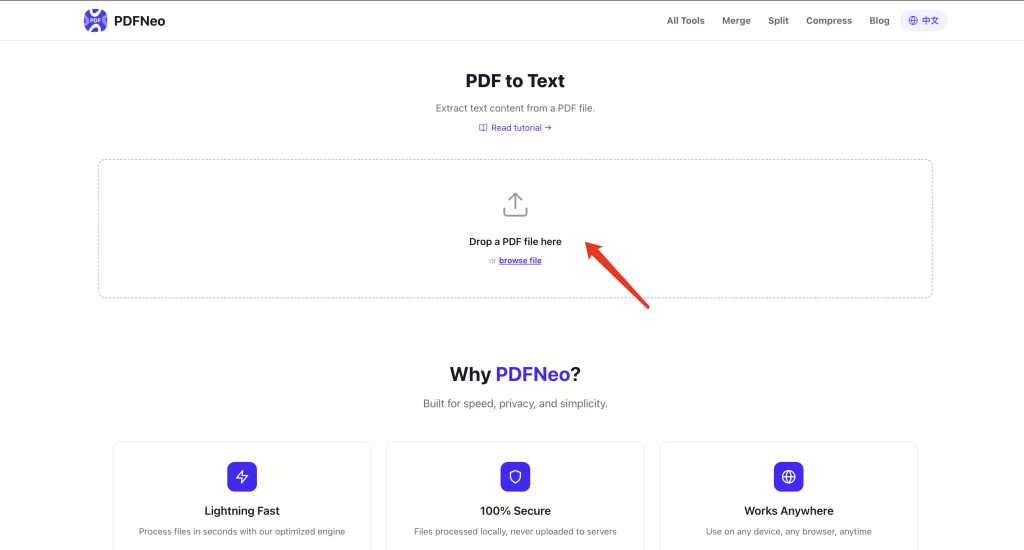
2. Upload your PDF
Drag in a PDF file, or click to browse.
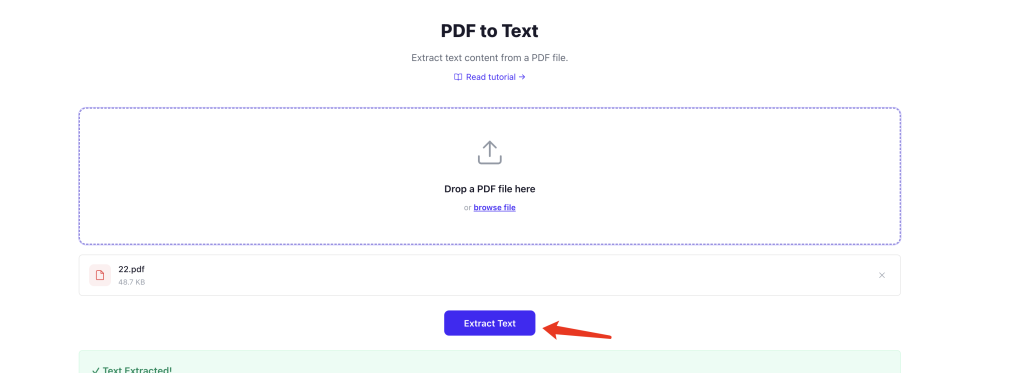
3. Extract
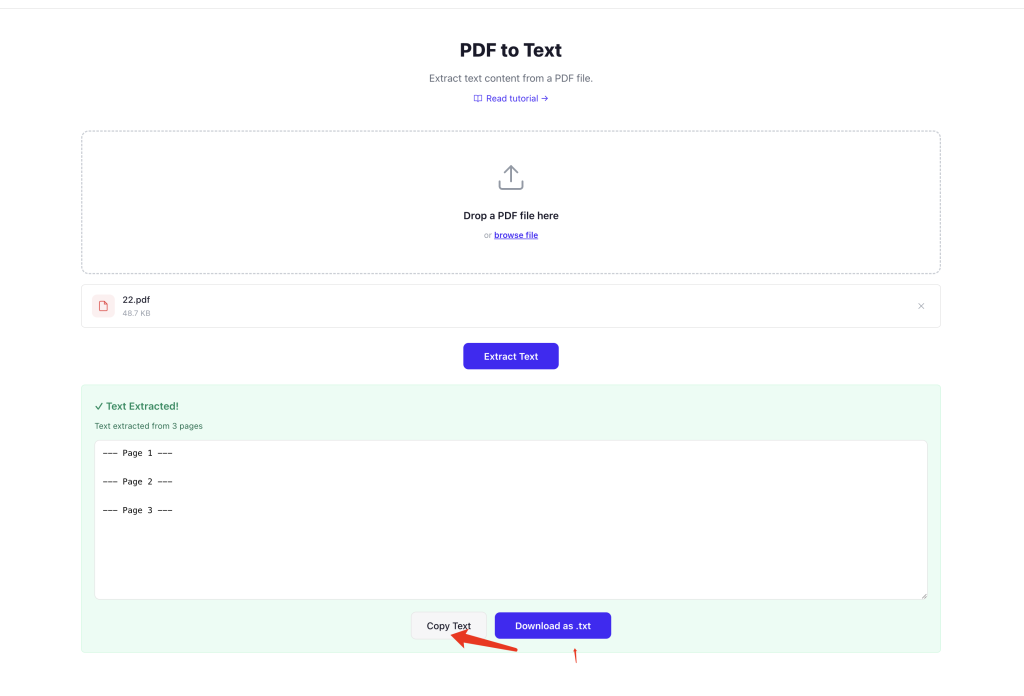
Click “Extract Text” and wait a few seconds. The tool reads every page and pulls out the text content.
4. Copy or download
The extracted text shows up on the page. Copy it directly, or download as a TXT file.
How accurate is the extraction?
Depends on what kind of PDF you’re dealing with:
Text-based PDFs — the ones exported from Word, PPT, etc. Text extraction is mostly accurate, paragraph order is preserved.
Scanned PDFs — paper documents scanned into images. The “text” is just pixels, not real characters. Extraction comes back empty or garbled. You’d need OCR for these, which this tool doesn’t do.
Encrypted or protected PDFs — some PDFs have copy restrictions. Extraction might fail.
Complex layouts — multi-column articles might have text from left and right columns mixed together in the output.
Bottom line: works well on normal exported PDFs. Scanned documents, not so much.
When you’d actually use this
Citing papers — need a paragraph from a PDF for your thesis? Don’t type it out by hand.
Editing contracts — contract is in PDF, you need to change terms, extract the text first.
Data整理 — pulling figures and data from a report into a spreadsheet.
Searching content — hard to search within a PDF. Extract to plain text and search away.
The extracted text is a mess. Now what?
PDF text extraction only gives you plain text. All the original formatting — fonts, sizes, bold, colors — is gone. If you need formatted, editable content, try PDF to Word instead. It does a much better job preserving layout.
Privacy
Everything runs locally in your browser. Your PDF never gets uploaded. The extracted text isn’t stored anywhere either.
Open PDFNeo PDF to Text, upload your PDF, extract, copy or download. No software, no signup, no uploads.
More tools
- Text to PDF — The other way around
- PDF to Word — Need formatting preserved? Use this
- PDF to HTML — Turn PDF into a web page
- PDF to JPG — Export each page as an image
- Split PDF — Break a PDF into separate files